Comparison · October 2026
Monitor Light Bars Compared (2026): The 8 Best
8 USB light bars from 11.8 to 20.1 inches, ranked by maker data
- 16models shortlisted
- 8models compared
- 4weighted criteria
This comparison lines up 8 monitor light bars from the Amazon range and ranks them by manufacturer data: stated brightness and coverage, controls and features, build and warranty, and how easily each bar mounts and lives on a desk. The comparison winner is the BenQ ScreenBar Pro (9.0 out of 10), because it is the only bar with a stated central brightness above 1,000 lx and it has the widest stated clamp range. The YEELIGHT is our best-value pick, the SAMPHON the budget pick and the BenQ ScreenBar the premium pick. The comparison helps anyone choosing between a basic USB bar and a model with sensors, color-rendering figures or a remote.
Key takeaways
- BenQ ScreenBar Pro leads: over 1,000 lx central brightness, a motion sensor and a clamp for monitors up to 2.56 in thick.
- Bars range from 11.8 in (SAMPHON) to 20.1 in (Quntis RGB); only the Quntis RGB comes with a remote and RGB backlight modes.
- Three bars have sensors: ambient-light dimming on the Quntis ScreenLinear Pro and BenQ ScreenBar, motion sensing on the BenQ Pro.
Comparison table: monitor light bars
Sorted by comparison score · Weighting: Light output & coverage 35%, Controls & features 25%, Build & warranty 20%, Fit & handling 20% 8 models compared · Selection from the Amazon range · Not a complete market overview How the ranking works
Our picks at a glance
-
Comparison winner: over 1,000 lx at the center, a motion sensor and a clamp for monitors up to 2.56 in thick.
-
Premium pick: CRI above 95, an auto-dimming sensor and a patented clamp, with less coverage than the Pro.
-
Best-value pick: full-metal body and Ra95 color rendering in the lower-middle price class, but no brightness figures.
-
Budget pick: up to 800 lux over a 30 × 20 in area from a short, plastic 11.8-inch USB bar.

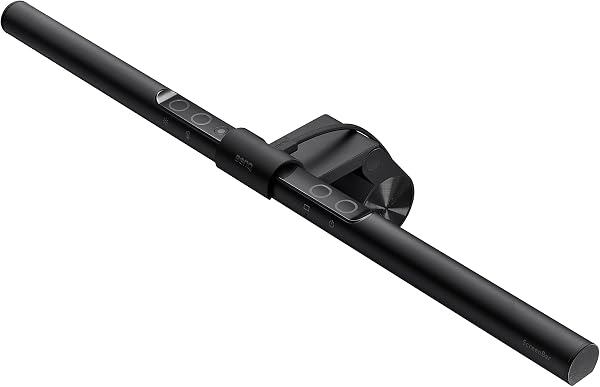


| Model | Rank 1 BenQ ScreenBar Pro Monitor Light Bar | Rank 2 Quntis RGB Monitor Light Bar with Remote | Rank 3 Quntis ScreenLinear Pro Monitor Light Bar | Rank 4 BenQ ScreenBar Monitor Light Bar | Rank 5 YEELIGHT Monitor Light Bar | Rank 6 SAMPHON SC02 USB Monitor Light Bar | Rank 7 Colorpanda 16.14-Inch USB Monitor Light Bar | Rank 8 POWERSUP Clip-On Monitor Light Bar |
|---|---|---|---|---|---|---|---|---|
| Comparison score | 9.0/10OutstandingComparison winnerComparison score · data-based comparison, no hands-on testAs of 10/2026 | 8.6/10ExcellentComparison score · data-based comparison, no hands-on testAs of 10/2026 | 8.3/10ExcellentComparison score · data-based comparison, no hands-on testAs of 10/2026 | 8.2/10ExcellentPremium pickComparison score · data-based comparison, no hands-on testAs of 10/2026 | 7.8/10Very goodBest valueComparison score · data-based comparison, no hands-on testAs of 10/2026 | 7.2/10Very goodBudget pickComparison score · data-based comparison, no hands-on testAs of 10/2026 | 7.1/10Very goodComparison score · data-based comparison, no hands-on testAs of 10/2026 | 6.8/10GoodComparison score · data-based comparison, no hands-on testAs of 10/2026 |
| Price level | Price level 4 of 4 | Price level 3 of 4 | Price level 3 of 4 | Price level 4 of 4 | Price level 2 of 4 | Price level 1 of 4 | Price level 1 of 4 | Price level 1 of 4 |
| Where to buy | ||||||||
| Light & controls | ||||||||
| Stated brightnessManufacturer figure | Over 1,000 lx center; 500 lx over 33 × 20 in | Over 800 lux (front-lighting mode) | n/a | 500 lx over 23.6 × 11.8 in | n/a | Up to 800 lux over 30 × 20 in | 250 lm | n/a |
| Color renderingManufacturer figure | n/a | n/a | Ra98 | CRI above 95 | Ra95 | n/a | n/a | n/a |
| Color temperature | Adjustable | 4 settings | Adjustable | Adjustable | Adjustable | 3 (3000/4000/6500 K) | 3 (2700/4000/6500 K) | Adjustable |
| Controls | Touch + buttons | Remote | Touch | Touch | Touch | On/off switch | Touch buttons | Touch + push button |
| Automatic sensor | Motion (5-min auto-off) | n/a | Ambient light | Ambient light | n/a | n/a | n/a | n/a |
| Size & materials | ||||||||
| Bar length | 19.7 in | 20.1 in | 15.7 in | 17.7 in | 17.6 in | 11.8 in | 16.3 in | 17 in |
| Weight | 1.8 lb (800 g) | 2.1 lb (0.93 kg) | n/a | 1.8 lb (800 g) | 1.1 lb | n/a | 14.1 oz | n/a |
| Main material | Aluminum, zinc, ABS, polycarbonate | Aluminum alloy | Aluminum, polycarbonate | Aluminum | Aluminum | Plastic | Aluminum | Aluminum, ABS, plastic |
| Fit & support | ||||||||
| Clamp rangeMonitor thickness | 0.17–2.56 in (0.43–6.5 cm) | n/a | n/a | 0.4–1.2 in | n/a | n/a | n/a | n/a |
| WarrantyManufacturer statement | 1 year | 1 year | 1 year | 1 year | 1 year | 1 year | 1 year | 2 years (best in row) |
| Pros |
|
|
|
|
|
|
|
|
| Cons |
|
|
|
|
|
|
|
|
| More on the product | Details – BenQ ScreenBar Pro Monitor Light Bar | Details – Quntis RGB Monitor Light Bar with Remote | Details – Quntis ScreenLinear Pro Monitor Light Bar | Details – BenQ ScreenBar Monitor Light Bar | Details – YEELIGHT Monitor Light Bar | Details – SAMPHON SC02 USB Monitor Light Bar | Details – Colorpanda 16.14-Inch USB Monitor Light Bar | Details – POWERSUP Clip-On Monitor Light Bar |


best figure in the row
All monitor light bars in detail
Sorted by comparison score · Weighting: Light output & coverage 35%, Controls & features 25%, Build & warranty 20%, Fit & handling 20% 8 models compared · Selection from the Amazon range · Not a complete market overview How the ranking works
- Comparison winnerComparison score · data-based comparison, no hands-on test
Rank 1: BenQ ScreenBar Pro Monitor Light Bar
Brand: BenQ Price level Price level 4 of 4
9.0/10OutstandingComparison score · data-based comparison, no hands-on testAs of 10/2026Comparison winner: over 1,000 lx at the center, a motion sensor and a clamp for monitors up to 2.56 in thick.
Ideal for
Anyone who wants the strongest, widest light and a bar that fits curved or thick monitors
The BenQ ScreenBar Pro posts the highest brightness figures in the set: over 1,000 lx at the center and 500 lx across a 33-by-20-inch (85-by-50 cm) area, according to the maker. Its asymmetrical optics are designed to light the desk without bouncing glare off the screen. The clamp accepts monitors from 0.17 to 2.56 inches (0.43–6.5 cm) thick and curvature from 1000R to 1800R, and the maker says it stays out of the webcam's view. An ultrasonic motion sensor switches the light on as you approach and off after five minutes of absence. The body combines aluminum, zinc and plastics. Drawbacks: it belongs to the top price class, the data lists no color-rendering figure, and the warranty is one year.
Pros
- Over 1,000 lx central brightness, 500 lx over 33 × 20 in
- Motion sensor with 5-minute auto-off
- Clamp fits monitors 0.17–2.56 in thick, curved 1000–1800R
- Aluminum, zinc and polycarbonate construction
Cons
- Top price class
- No color-rendering figure listed
- Only a 1-year warranty
Key specs
- Stated brightness
- Over 1,000 lx center; 500 lx over 33 × 20 in
- Main material
- Aluminum, zinc, ABS, polycarbonate
- Warranty
- 1 year
Rank 2: Quntis RGB Monitor Light Bar with Remote
Brand: Quntis Price level Price level 3 of 4
8.6/10ExcellentComparison score · data-based comparison, no hands-on testAs of 10/2026The most versatile bar here: remote, 100 brightness levels, 15 RGB modes and a 20-inch body for wide screens.
Ideal for
Wide-monitor owners who also want ambient color and remote control
Quntis built this 20-inch aluminum bar for larger monitors. Its front-lighting mode is rated by the maker at more than 800 lux with a uniformity above 0.9, driven by 144 LEDs at 7.5 W. A remote handles four color temperatures, 100 stepless brightness levels and 15 RGB backlight modes. The maker states that the bar meets IEC/TR 62778 and IEC/EN 62471 with an RG0 (no blue-light risk) rating, a claim we have not verified. A right-angle USB-C cable leaves room for a webcam. The trade-offs are size and operation: at 20.08 inches and 2.1 lb (0.93 kg) it is the longest bar here and has the heaviest listed weight, control runs through the remote rather than the bar itself, and the warranty is one year.
Pros
- Front-lighting mode above 800 lux, uniformity above 0.9
- Remote: 4 color temperatures, 100 brightness levels
- 15 RGB backlight modes for ambient color
- Right-angle USB-C cable keeps the webcam area free
Cons
- Longest bar, heaviest listed weight (20.08 in, 0.93 kg)
- Operation depends on the remote
- Only a 1-year warranty
Key specs
- Stated brightness
- Over 800 lux (front-lighting mode)
- Main material
- Aluminum alloy
- Warranty
- 1 year
Rank 3: Quntis ScreenLinear Pro Monitor Light Bar
Brand: Quntis Price level Price level 3 of 4
8.3/10ExcellentComparison score · data-based comparison, no hands-on testAs of 10/2026Highest color-rendering figure (Ra98) plus ambient-light auto-dimming in a compact 15.7-inch bar.
Ideal for
Small and mid-size monitors where accurate color and automatic dimming matter
The ScreenLinear Pro is the color-accuracy specialist of the set: Quntis states a color rendering index of Ra98, produced by 78 LED beads along a 15.7-inch bar. A built-in ambient-light sensor adjusts brightness automatically, while touch controls cover stepless dimming and adjustable color temperature. The asymmetrical optics aim the light at the desk rather than the screen, and a weighted clip holds the bar on top of the monitor. The maker also states that it meets IEC/TR 62778 and IEC/EN 62471 for blue-light safety, a claim we have not verified. Weak spots: no lux or coverage figure is listed, the shade is plastic over an aluminum base, and support is limited to one year. It sits in the upper-middle price class.
Pros
- Ra98 color rendering (maker figure)
- Ambient-light sensor with automatic dimming
- Compact 15.7 in bar with weighted clip
- Stepless dimming and adjustable color temperature
Cons
- No lux or coverage figure listed
- Plastic shade on an aluminum base
- Only 1 year of support
Key specs
- Stated brightness
- n/a
- Main material
- Aluminum, polycarbonate
- Warranty
- 1 year
- Premium pickComparison score · data-based comparison, no hands-on test
Rank 4: BenQ ScreenBar Monitor Light Bar
Brand: BenQ Price level Price level 4 of 4
8.2/10ExcellentComparison score · data-based comparison, no hands-on testAs of 10/2026Premium pick: CRI above 95, an auto-dimming sensor and a patented clamp, with less coverage than the Pro.
Ideal for
Standard-thickness flat or gently curved monitors where accurate, simple light is the goal
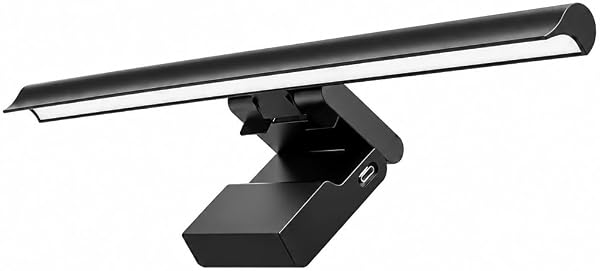
The original ScreenBar is the more modest sibling of the Pro. The maker lists a color rendering index above 95, flicker-free output and an LED source with no blue-light hazard, plus 500 lx across a 23.6-by-11.8-inch (60-by-30 cm) area. A built-in light sensor adjusts brightness to the room, and a touch control handles manual changes. The patented counterweight clamp fits monitors 0.4 to 1.2 inches thick and curved panels of 1500R and above, though the maker warns that unusual back designs may affect compatibility. The aluminum bar is 17.72 inches wide and weighs 1.8 lb (800 g). Compared with the Pro, coverage is smaller, the clamp range is narrower and no motion sensor is listed, yet it sits in the same top price class.
Pros
- CRI above 95 and flicker-free output (maker data)
- Ambient-light sensor with auto-dimming
- 500 lx across 23.6 × 11.8 in
- Aluminum body with patented counterweight clamp
Cons
- Clamp limited to monitors 0.4–1.2 in thick
- Smaller coverage area than the Pro
- Top price class and a 1-year warranty
Key specs
- Stated brightness
- 500 lx over 23.6 × 11.8 in
- Main material
- Aluminum
- Warranty
- 1 year
- Best valueComparison score · data-based comparison, no hands-on test
Rank 5: YEELIGHT Monitor Light Bar
Brand: YEELIGHT Price level Price level 2 of 4
7.8/10Very goodComparison score · data-based comparison, no hands-on testAs of 10/2026Best-value pick: full-metal body and Ra95 color rendering in the lower-middle price class, but no brightness figures.
Ideal for
Desks where a metal body and accurate color matter more than peak brightness
The YEELIGHT bar is described as full metal: a polished aluminum housing that spans 17.6 inches and weighs 1.1 lb. The listing cites a color rendering index of Ra95, an RG0 blue-light rating and flicker-free output, all as maker claims. Touch controls provide stepless dimming and selectable color temperatures, and the design is described as camera-friendly and quick to install. It draws 5 W over USB. The gap in the data is brightness: no lux, lumen or coverage figure is listed, so its light output cannot be compared directly with the BenQ or Quntis bars. Support is a one-year warranty. It earns the best-value award because it pairs a solid build and color figures with the lower-middle price class, ahead of every cheaper bar in this set.
Pros
- Full-metal polished aluminum housing
- Ra95 color rendering and RG0 blue-light rating (maker data)
- Stepless dimming with touch control
- Camera-friendly design at about 1.1 lb
Cons
- No brightness or coverage figure listed
- Color-temperature range not specified
- Only a 1-year warranty
Key specs
- Stated brightness
- n/a
- Main material
- Aluminum
- Warranty
- 1 year
- Budget pickComparison score · data-based comparison, no hands-on test
Rank 6: SAMPHON SC02 USB Monitor Light Bar
Brand: SAMPHON Price level Price level 1 of 4
7.2/10Very goodComparison score · data-based comparison, no hands-on testAs of 10/2026Budget pick: up to 800 lux over a 30 × 20 in area from a short, plastic 11.8-inch USB bar.
Ideal for
Small desks and shoppers who want the entry price class
SAMPHON's SC02 is the budget pick, and its headline claim is ambitious for the entry price class: up to 800 lux at the center, spread over a 30-by-20-inch area, from an 11.8-inch bar with a 45-degree beam angle. Three color temperatures (3000, 4000 and 6500 K) and stepless brightness are operated through one on/off switch, and the bar remembers its last setting. It runs on 5 V USB, so a computer port, a charger or a power bank will do, and the counterweight clip mounts without tools. A USB cable and manual are included. The compromises are structural: the housing is plastic, it is the shortest bar here and may look small on a wide monitor, and the warranty is one year.
Pros
- Up to 800 lux over a 30 × 20 in area (maker figure)
- 3 color temperatures (3000/4000/6500 K) with memory
- Runs from any USB source, including power banks
- Tool-free counterweight clip
Cons
- Plastic housing
- Shortest bar in the set (11.8 in)
- Only a 1-year warranty
Key specs
- Stated brightness
- Up to 800 lux over 30 × 20 in
- Main material
- Plastic
- Warranty
- 1 year
Rank 7: Colorpanda 16.14-Inch USB Monitor Light Bar
Brand: Colorpanda Price level Price level 1 of 4
7.1/10Very goodComparison score · data-based comparison, no hands-on testAs of 10/2026Aluminum body and three presets with memory in the entry class, but only a 250 lm output figure.
Ideal for
Simple home-office or gaming desks that need basic, glare-aware task light
The Colorpanda bar offers a metal body in the entry price class. Its housing is aluminum with a metallic finish, and at 14.08 ounces it is the lightest bar with a listed weight. Touch buttons switch between three color temperature and brightness presets (2700, 4000 and 6500 K), and a memory function restores the last setting. The maker describes an asymmetrical, anti-blue-light optical design meant to avoid screen glare, and a counterweight clip that goes on in seconds. The only output figure is 250 lm from the listing title, with no lux or coverage data, and brightness comes in steps rather than stepless dimming. The component list names only a USB port, so check what ships in the box. The warranty is one year.
Pros
- Aluminum housing in the entry price class
- Three presets (2700/4000/6500 K) with memory
- Lightest bar with a listed weight (14.08 oz)
- Counterweight clip, quick to fit
Cons
- Only a 250 lm figure, no lux or coverage data
- Fixed brightness steps, no stepless dimming
- Vague component list and a 1-year warranty
Key specs
- Stated brightness
- 250 lm
- Main material
- Aluminum
- Warranty
- 1 year
Rank 8: POWERSUP Clip-On Monitor Light Bar
Brand: POWERSUP Price level Price level 1 of 4
6.8/10GoodComparison score · data-based comparison, no hands-on testAs of 10/2026Longest warranty here (2 years) and a simple USB clip-on design, but almost no brightness or color data.
Ideal for
Basic home-office desks that need a plain clip-on light with a longer warranty
POWERSUP's Cml-001 is the plainest listing in the set. It is a 17-inch clip-on bar drawing 5 W over USB, so no separate adapter or outlet is needed, with an aluminum base and plastic parts. Touch and push-button controls adjust brightness and color temperature, and a projection angle aimed at the desk and keyboard is meant to avoid reflections on the screen. Its standout is the two-year manufacturer warranty, the longest here; every other bar lists one year. What is missing: no lux, lumen, color-rendering or color-temperature figures, no count of brightness levels, and no sensor or memory function. That thin data, rather than any single flaw, is why it ranks last. It sits in the entry price class.
Pros
- 2-year manufacturer warranty, the longest in the set
- USB-powered at 5 W, no separate adapter needed
- Touch and push-button controls
- 17 in clip-on bar in the entry price class
Cons
- No lux, lumen or color-rendering figures
- Number of brightness levels not stated
- No sensor or memory function described
Key specs
- Stated brightness
- n/a
- Main material
- Aluminum, ABS, plastic
- Warranty
- 2 years
How the ranking works
Sorted by our comparison score, which combines these weighted criteria:
- Light output & coverage 35% Stated brightness, coverage area and glare control show how well a bar lights the desk without reflecting off the screen.
- Controls & features 25% Dimming, color temperature, sensors, memory and remote control decide how well the light adapts to the task and time of day.
- Build & warranty 20% Metal housings and clamps hold up better than plastic; the warranty shows what the maker stands behind.
- Fit & handling 20% Clamp range, weight, bar length and cable routing decide how easily the bar sits on a monitor and keeps the webcam free.
8 models compared · Selection from the Amazon range · Not a complete market overview
16 models shortlisted · 8 compared · 4 criteria
We did not physically test these products ourselves. Our assessment is based on technical specifications, features, price class, and manufacturer and service information. More about our method
Buying guide: what to look for in monitor light bars
What to look for in a monitor light bar
A monitor light bar sits on top of the screen and shines down onto the desk, so keyboard and notes are lit while the screen stays free of reflections. The 8 bars compared here range from 11.8 to 20.1 inches in length and draw 5 to 7.5 W over USB, but differ widely in how much they document. The sections below explain which figures matter and what values this set offers.
Brightness and coverage
Makers quote brightness in lux (light arriving on a surface) or lumens (total output), and the two cannot be converted without knowing the distance and the beam. In this set, the BenQ ScreenBar Pro states more than 1,000 lx at the center and 500 lx over 33 by 20 inches (85 by 50 cm). The Quntis RGB quotes more than 800 lux in its front-lighting mode, the SAMPHON up to 800 lux over 30 by 20 inches, and the BenQ ScreenBar 500 lx over 23.6 by 11.8 inches. The Colorpanda gives only 250 lm, and the Quntis ScreenLinear Pro, YEELIGHT and POWERSUP give no output figure at all. Coverage matters as much as peak brightness. Treat every number as a manufacturer claim made under conditions we do not know.
Glare control
Several bars advertise asymmetrical optics, meaning the light is angled toward the desk and away from the screen. BenQ calls its version ASYM-Light, and the Quntis ScreenLinear Pro and Colorpanda describe asymmetrical designs. SAMPHON lists a 45-degree beam angle, while POWERSUP and YEELIGHT cite a projection angle or design meant to avoid reflections. On paper these claims look alike, so the data cannot separate them.
Color temperature and color rendering
Color temperature runs from warm (around 2700 K) to cool (6500 K). Warm light is gentler in the evening, while cooler light feels more alert in the daytime. The Colorpanda offers 2700, 4000 and 6500 K presets and the SAMPHON 3000, 4000 and 6500 K; the Quntis RGB lists four settings, and the remaining bars say only that the temperature is adjustable. Color rendering describes how faithfully a light shows colors: Quntis gives Ra98 for the ScreenLinear Pro, YEELIGHT Ra95, and the BenQ ScreenBar a CRI above 95. For photo, video or design work those figures are worth looking for; for spreadsheets they matter little.
Controls and sensors
Touch controls are the norm: six of the 8 bars use them. The Quntis RGB is operated by remote, and the SAMPHON by a single on/off switch that cycles through settings and keeps the last one in memory. Sensors save adjustments. The BenQ ScreenBar Pro has an ultrasonic motion sensor that lights the bar as you approach and switches it off after five minutes of absence, while the Quntis ScreenLinear Pro and the BenQ ScreenBar adjust brightness to the room light. Automatic behavior is convenient, but if you prefer fixed settings, a bar with memory such as the SAMPHON or Colorpanda restores your last choice.
Clamp fit and compatibility
The clamp is where bars most often succeed or fail. Only the two BenQ models publish a compatible monitor thickness: 0.17 to 2.56 inches (0.43–6.5 cm) and curvature from 1000R to 1800R for the Pro, and 0.4 to 1.2 inches with 1500R and above for the ScreenBar, which also warns that unusual back designs may affect fit. The other bars use counterweight clips without published limits. Measure the thickness at the top edge of your monitor, including any bulge, before ordering. A bar should also stay out of the webcam's view; BenQ says the Pro does, and Quntis points to a right-angle USB-C cable that leaves space for a camera.
Power and cables
All 8 bars run on 5 V. Most plug into a USB port, which keeps the cable run short and needs no extra outlet; POWERSUP states that no separate adapter is required, and SAMPHON says a computer, charger or power bank works. The BenQ Pro lists a transformer among its components and the Quntis RGB an adapter. If you rely on a computer port, check whether it keeps supplying power when the machine sleeps, since the lamp will switch off with it.
Build and warranty
Seven of the 8 bars have an aluminum component, and only the SAMPHON is listed as plastic. The BenQ Pro adds zinc, and the YEELIGHT is described as full metal. Warranties are short: seven bars list one year, and only POWERSUP lists two. A longer warranty is no proof of durability, but it shows what the maker stands behind.
Which light bar suits which setup?
- Strongest, widest light: the BenQ ScreenBar Pro has the highest stated brightness and the widest clamp range.
- Large screen with ambient color: the Quntis RGB combines a 20.08-inch bar with a remote and 15 RGB modes.
- Accurate color and automatic dimming: the Quntis ScreenLinear Pro (Ra98) or the BenQ ScreenBar (CRI above 95), both with ambient-light sensors.
- Metal body without a top-tier price class: the YEELIGHT, this comparison's best-value pick.
- Lowest price class with a brightness claim: the SAMPHON, with up to 800 lux but a plastic body.
- Longest warranty: POWERSUP is the only bar with two years.
Common mistakes when buying
- Comparing lux with lumens: the two are different measures, so a 250 lm bar and an 800 lux bar cannot be ranked against each other.
- Ignoring monitor thickness and curvature: a clamp that does not fit leaves the bar tilted or loose. Only the BenQ models state their limits.
- Paying for color effects you will not use: RGB backlight modes are decoration; the task light is the front-lighting mode.
- Skipping missing data: a listing without brightness or color figures, as with POWERSUP and YEELIGHT, leaves you guessing, so weigh what is stated.
- Expecting it to light you on video calls: a bar lights the desk, not your face. Face lighting for video calls is a different job; see LED desk lamps compared for lamps, webcams compared for the camera and our guide to the desk setup for video calls for how the pieces fit together.
Setup and care tips
Center the bar on the top edge of the screen and push the clamp fully home before letting go. Unplug the bar and wipe it with a dry or slightly damp microfiber cloth; where a rating is listed, the bars are not water resistant. A raised screen changes where the bar sits, so it is worth choosing the two together: our comparison of monitor stands and risers covers the other half of the setup. Our desk upgrade checklist walks through screen height, light and power in order, and more desk gear is collected in our computer and office comparisons.
How we compared
Our basis is manufacturer data, product specifications, delivery contents and price class; we did not have the bars in hand. From 15 monitor light bars considered, we selected 8 and rated each criterion relative to the others: light output and coverage count 35%, controls and features 25%, build and warranty 20%, and fit and handling 20%. The weighted result is a score out of 10. Missing data is not estimated and shows up as a gap in the rating. For the full details, see how we rank models.
Frequently asked questions
Do monitor light bars work on curved or ultrawide monitors?
Some do. The BenQ ScreenBar Pro lists support for curvature from 1000R to 1800R, and the BenQ ScreenBar for 1500R and above, each with a stated thickness range. The Quntis RGB is a 20-inch bar made for larger screens. The other bars publish no curvature limits, so measure your monitor's top edge and check the listing before buying.
Does a monitor light bar need its own power adapter?
Not necessarily. All 8 bars run on 5 V. POWERSUP says no separate adapter or outlet is required, and SAMPHON says a computer, charger or power bank is enough. The BenQ ScreenBar Pro lists a transformer in its components and the Quntis RGB lists an adapter, so check the listing for what ships with your model.
Should I compare lux or lumens?
Lux describes how much light lands on a surface, lumens describe total output, so they answer different questions. In this set the BenQ Pro quotes over 1,000 lx at the center, the Quntis RGB over 800 lux, SAMPHON up to 800 lux, the BenQ ScreenBar 500 lx and Colorpanda 250 lm. Several bars quote nothing, which limits direct comparison.
Can a light bar reduce eye strain?
Makers describe their bars as eye-friendly, citing asymmetrical optics, flicker-free output and low blue-light ratings such as RG0. We have not verified those claims, and a bar does not replace regular breaks or a sensible screen distance. What it can do is light the desk so the screen is not the only bright surface in the room.
Is a bar with a sensor worth it?
It depends on how often your light changes. The BenQ ScreenBar Pro uses a motion sensor and switches off after five minutes of absence; the Quntis ScreenLinear Pro and BenQ ScreenBar dim automatically to room light. If your desk light is steady, a bar with memory, like the SAMPHON or Colorpanda, may be all you need.
What is this ranking based on?
Manufacturer data, product specifications, delivery contents and price class. We did not physically test the bars and do not run lab tests, and no customer ratings are used. Each criterion is scored relative to the other 7 bars and combined with fixed weights into a score out of 10. Missing data is not estimated. Our methodology page explains the details.
More comparisons

Best Monitor Stands and Risers of 2026: 8 Models Compared
8 products · As of October 30, 2026

Best Portable Thermal Printers of 2026: 8 Models Compared
8 products · As of October 30, 2026


